
وەسف
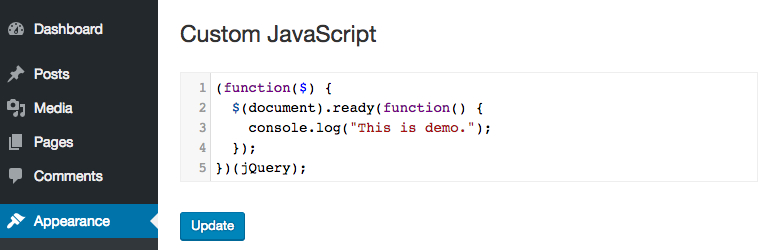
Add custom JavaScript to your site from a professional editor in the WordPress admin.
TC Custom JavaScript‘s still in early stage. If you have any troubles when using it, or any ideas to improve its features to fit with your work, please do not hesitate to contact us.
سکرین شۆتەکان

دامەزراندن
- Upload WR PageBuilder to the /wp-content/plugins/ directory
- Activate the plugin through the ‘Plugins’ menu in WordPress
پێداچوونەوەکان


بەشداربووان و گەشەپێدەران
“TC Custom JavaScript” نەرمەواڵەیەکی سەرچاوە کراوەیە. ئەم کەسانەی خوارەوە بەشدارییان تێدا کردووە.
بەشداربووان
“TC Custom JavaScript” وەربگێڕە بۆ زمانەکەی خۆت.
دەتەوێت بەشداربیت لە گەشەپێدان؟
گەڕان لە کۆدەکەدا بکە، سەیری تەمارگەی (SVN) بکە، یان بەشداربە لە ڕووداوتۆماری گەشەپێدان لە ڕێگەی (RSS).
ڕووداوتۆمارگەریی گۆڕین
1.2.3
Fix bug with PHP 8
1.2.2
Update security checking
1.2.1
Fix bug adding slashes
1.2.0
Fix security issues.
1.1.1
Fix bug clear code.
1.1.0
Editor automatically resize to fit its content.
1.0.4
Fixed bug related to single-line comments.
1.0.3
Fixed bug related to Magic Quotes of PHP 5.3 or lower.
1.0.0
The first version.