

وەسف
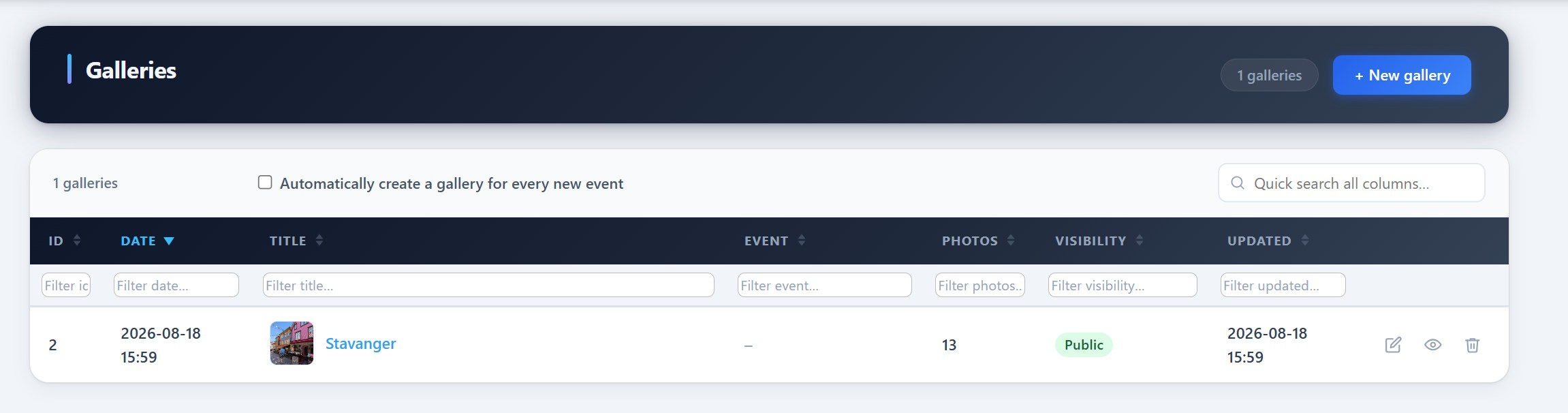
PCIO VIS Gallery is an extension for the PCIO VIS Member Event plugin. It adds event-linked photo galleries. Galleries store images as standard WordPress Media Library attachments and can be embedded with the [pcio_me_gallery id="N"] shortcode or browsed at /vis/galleries/.
This plugin requires the PCIO VIS Member Event core plugin to be installed and active.
سکرین شۆتەکان
دامەزراندن
- Install and activate the PCIO VIS Member Event core plugin first.
- Upload the
pcio-vis-gallerydirectory to/wp-content/plugins/. - Activate the plugin in Plugins in the WordPress admin.
- Create galleries under the Vis admin menu and embed them with
[pcio_me_gallery id="N"].
پهد
-
Where are the images stored?
-
As standard WordPress Media Library attachments.
-
How do I show a gallery on a page?
-
Use the
[pcio_me_gallery id="N"]shortcode, or browse all galleries at/vis/galleries/.
پێداچوونەوەکان
هیچ پێداچوونەوەیەک نەنووسراوە بۆ ئەم پێوەکراوە.
بەشداربووان و گەشەپێدەران
“PCIO VIS Gallery” نەرمەواڵەیەکی سەرچاوە کراوەیە. ئەم کەسانەی خوارەوە بەشدارییان تێدا کردووە.
بەشداربووان
“PCIO VIS Gallery” وەرگێڕدراوە بۆ 1 زمان. سوپاسی وەرگێڕەکان دەکەین بۆ بەشداریکردنیان.
“PCIO VIS Gallery” وەربگێڕە بۆ زمانەکەی خۆت.
دەتەوێت بەشداربیت لە گەشەپێدان؟
گەڕان لە کۆدەکەدا بکە، سەیری تەمارگەی (SVN) بکە، یان بەشداربە لە ڕووداوتۆماری گەشەپێدان لە ڕێگەی (RSS).
ڕووداوتۆمارگەریی گۆڕین
1.0.0
- Initial release.