

وەسف
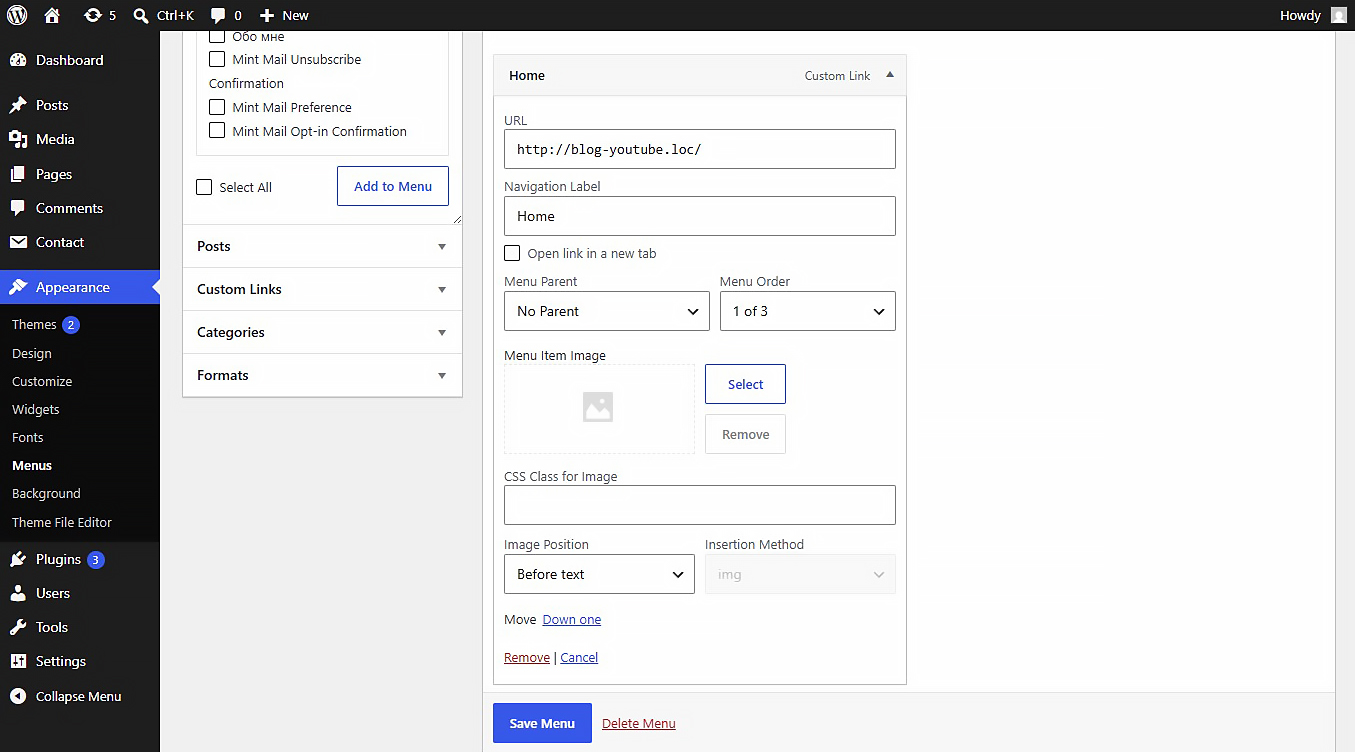
This plugin allows you to upload or link images (JPEG, PNG, WebP, SVG, etc.) directly inside the WordPress Customizer or Appearance > Menus panel. Includes built-in SVG sanitization for secure inline SVG injection.
Settings
After activating the plugin, navigate to Settings Media in your WordPress admin dashboard. There you will find the “NaviPix Settings” section where you can disable SVG upload support and SVG sanitization if needed. This gives you full control over whether the plugin handles SVG files or leaves them to your theme or other plugins.
سکرین شۆتەکان
دامەزراندن
- Upload the plugin folder to the
/wp-content/plugins/directory. - Activate the plugin through the ‘Plugins’ menu in WordPress.
- Go to Appearance > Menus, open any menu item, and choose your image.
پێداچوونەوەکان
هیچ پێداچوونەوەیەک نەنووسراوە بۆ ئەم پێوەکراوە.
بەشداربووان و گەشەپێدەران
“NaviPix” نەرمەواڵەیەکی سەرچاوە کراوەیە. ئەم کەسانەی خوارەوە بەشدارییان تێدا کردووە.
بەشداربووان
“NaviPix” وەرگێڕدراوە بۆ 1 زمان. سوپاسی وەرگێڕەکان دەکەین بۆ بەشداریکردنیان.
“NaviPix” وەربگێڕە بۆ زمانەکەی خۆت.
دەتەوێت بەشداربیت لە گەشەپێدان؟
گەڕان لە کۆدەکەدا بکە، سەیری تەمارگەی (SVN) بکە، یان بەشداربە لە ڕووداوتۆماری گەشەپێدان لە ڕێگەی (RSS).
ڕووداوتۆمارگەریی گۆڕین
1.0.0
- Initial release.