
وەسف
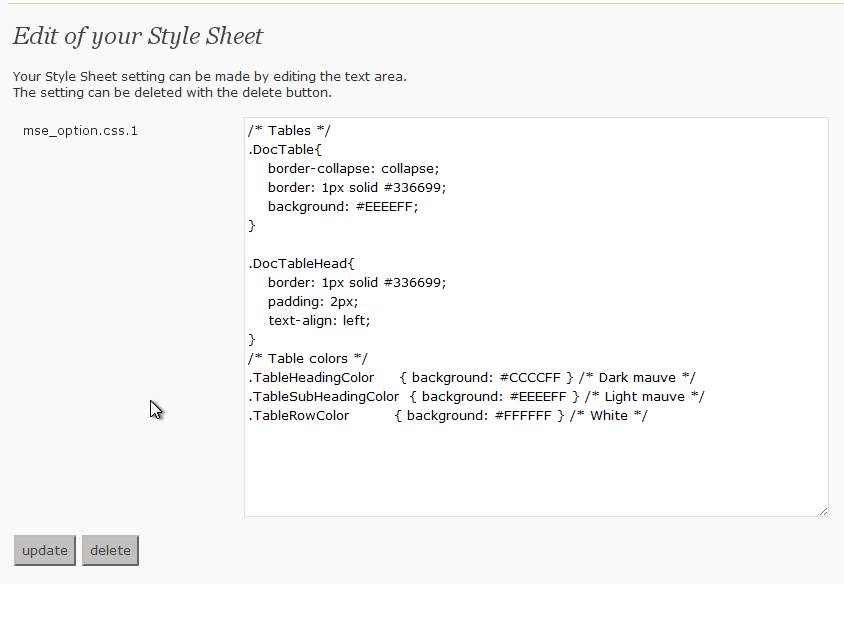
This adds the Style Sheet definition that I set while it is – to use Style Sheet besides the theme being used now when contributing.
سکرین شۆتەکان
دامەزراندن
- Upload
my-css-editor.phpto the/wp-content/plugins/directory - Activate the plugin through the ‘Plugins’ menu in WordPress
- If the Style Sheet definition that you want to use is set and the update button is pressed, it is possible to use it
پهد
- Where is the Style Sheet definition preserved?
-
It is preserved in the data base by the name described in the left of the text area on the definition screen.
It is a name of “mse_option.css.1” now. - Is it good if it does very to delete the definition?
-
“delete” Please press the button. It is deleted from the data base.
پێداچوونەوەکان
هیچ پێداچوونەوەیەک نەنووسراوە بۆ ئەم پێوەکراوە.
بەشداربووان و گەشەپێدەران
“My CSS Editor” نەرمەواڵەیەکی سەرچاوە کراوەیە. ئەم کەسانەی خوارەوە بەشدارییان تێدا کردووە.
بەشداربووان
“My CSS Editor” وەربگێڕە بۆ زمانەکەی خۆت.
دەتەوێت بەشداربیت لە گەشەپێدان؟
گەڕان لە کۆدەکەدا بکە، سەیری تەمارگەی (SVN) بکە، یان بەشداربە لە ڕووداوتۆماری گەشەپێدان لە ڕێگەی (RSS).
ڕووداوتۆمارگەریی گۆڕین
0.2
- Opening to the public