
وەسف
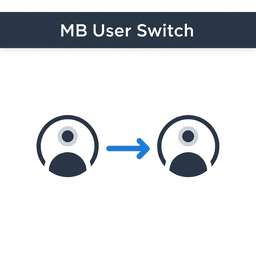
MB User Switch provides:
* A “Switch User” link in the user list table.
* A floating “Switch Back” button visible on all frontend and admin pages.
* Secure switching with nonce verification.
* Clean code following WordPress standards.
دامەزراندن
- Upload the
mb-user-switchfolder to/wp-content/plugins/. - Activate the plugin through the WordPress admin.
- Go to Users > All Users and click Switch User.
- Use the floating Switch Back button to return to your original user.
پهد
-
Who can use this plugin?
-
Only users with the
manage_optionscapability (typically Administrators) can switch users. -
It appears in the bottom left corner on all frontend and admin pages while switched.
پێداچوونەوەکان
هیچ پێداچوونەوەیەک نەنووسراوە بۆ ئەم پێوەکراوە.
بەشداربووان و گەشەپێدەران
“MB User Switch” نەرمەواڵەیەکی سەرچاوە کراوەیە. ئەم کەسانەی خوارەوە بەشدارییان تێدا کردووە.
بەشداربووان
“MB User Switch” وەربگێڕە بۆ زمانەکەی خۆت.
دەتەوێت بەشداربیت لە گەشەپێدان؟
گەڕان لە کۆدەکەدا بکە، سەیری تەمارگەی (SVN) بکە، یان بەشداربە لە ڕووداوتۆماری گەشەپێدان لە ڕێگەی (RSS).
ڕووداوتۆمارگەریی گۆڕین
1.0
- Initial release: Switch user and switch back functionality.