بازدان بۆ ناوەڕۆک
WordPress.org

وۆردپرێس بەکوردی

  • ڕووکارەکان
  • پێوەکراوەکان
  • دەربارە
  • وۆردپرێس بە دەستبێنە
وۆردپرێس بە دەستبێنە
WordPress.org

Plugin Directory

HDY Login Branding

  • پێوەکراوێک بڵاوبکەرەوە
  • دڵخوازەکانم
  • Log in
  • پێوەکراوێک بڵاوبکەرەوە
  • دڵخوازەکانم
  • Log in

HDY Login Branding

لەلایەن Mary Mojisola Job
داگرتن
  • وردەکارییەکان
  • پێداچوونەوەکان
  • دامەزراندن
  • گەشەپێدان
پشتیوانی

وەسف

Customize the WordPress login screen without touching code.

Features:
* Enable or disable the custom login logo.
* Choose a logo from the Media Library.
* Logo links to the site homepage when enabled.
* Customize the login page background color.
* Customize the login button label, background, and text color.

سکرین شۆتەکان
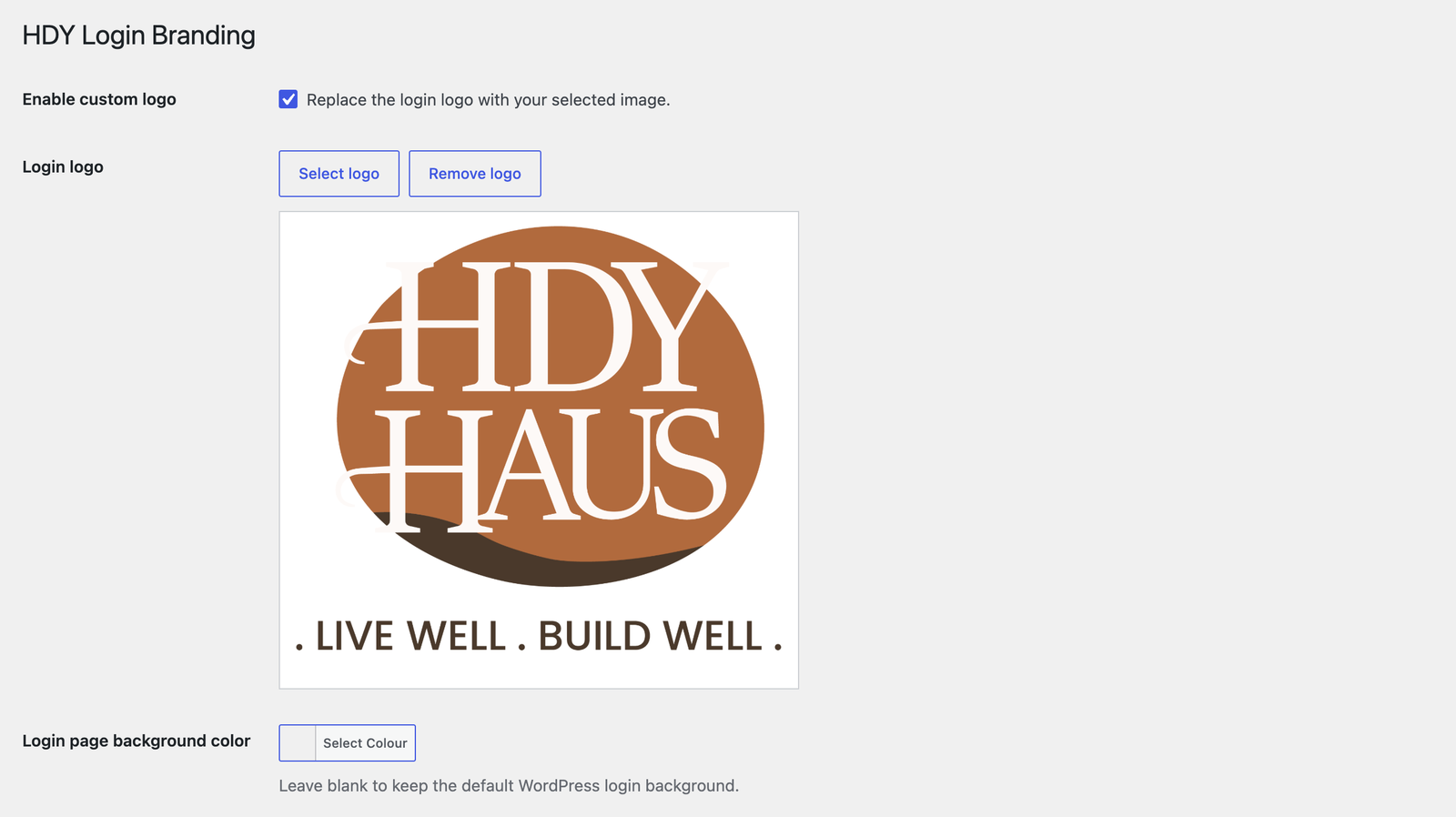
Plugin settings page with custom logo selection and preview.
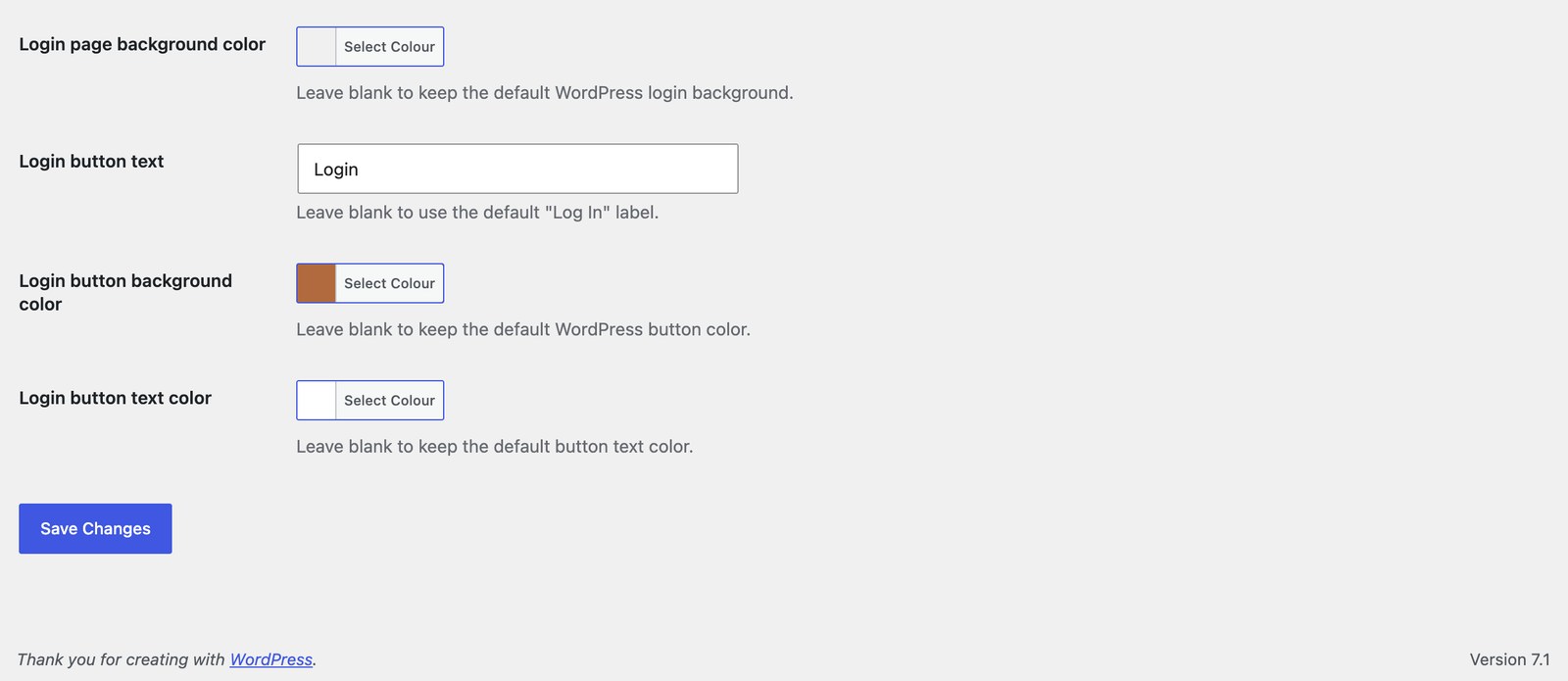
Color picker settings for login page background and login button styles.
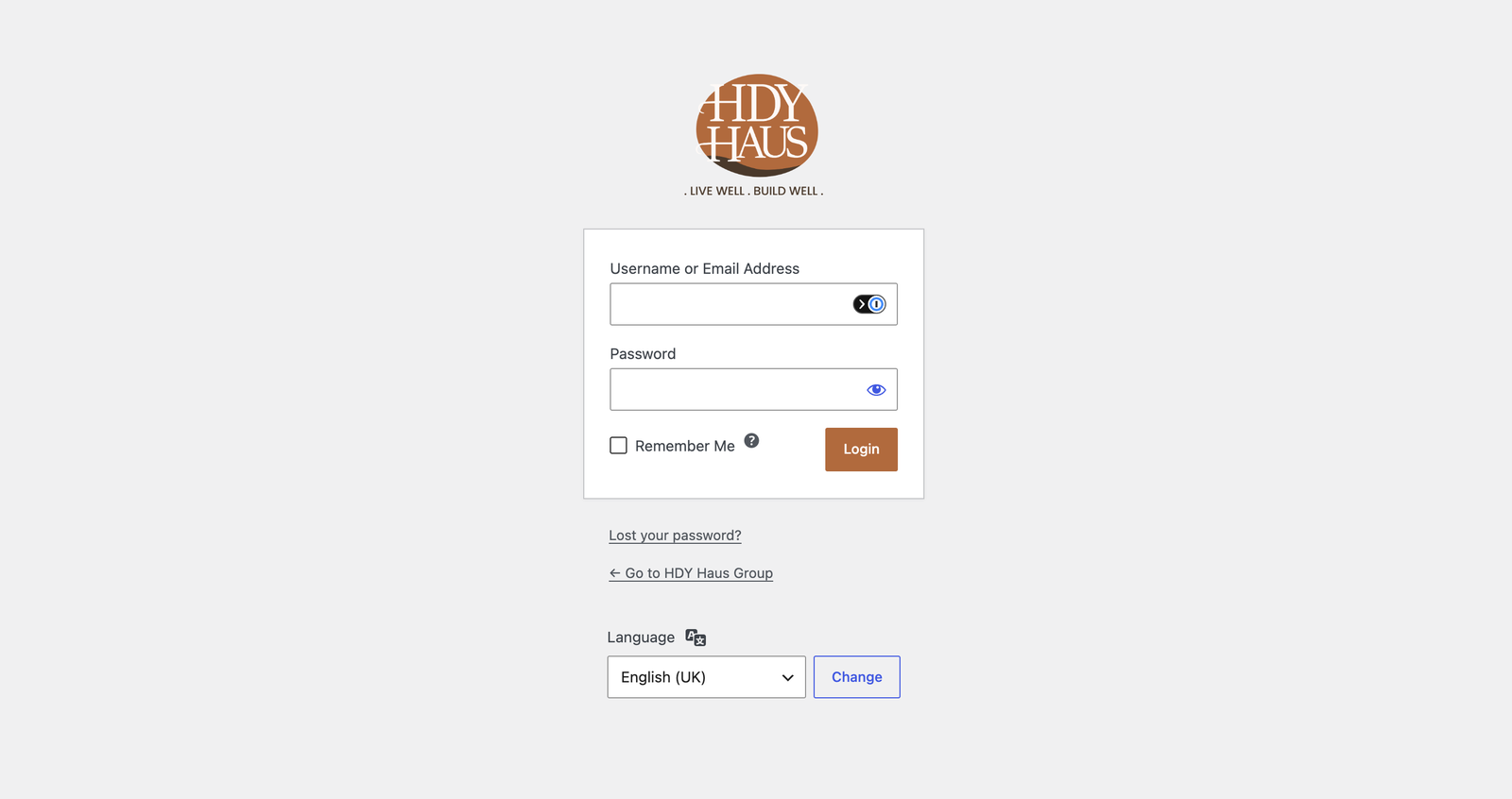
Customized WordPress login page with branded logo, background, and button text.

دامەزراندن

  1. Upload the hdy-login-branding folder to /wp-content/plugins/ Or in your WordPress admin, go to Plugins > Add New > Upload.
  2. Activate the plugin through the Plugins screen in WordPress.
  3. Go to Settings > HDY Login Branding.
  4. Enable the logo and select an image from the Media Library.

پهد

What size should the logo be?

The login screen uses a 320×120 box. Larger images are scaled to fit.

Where does the logo link to?

When the custom logo is enabled and set, it links to the homepage.

پێداچوونەوەکان

هیچ پێداچوونەوەیەک نەنووسراوە بۆ ئەم پێوەکراوە.

بەشداربووان و گەشەپێدەران

“HDY Login Branding” نەرمەواڵەیەکی سەرچاوە کراوەیە. ئەم کەسانەی خوارەوە بەشدارییان تێدا کردووە.

بەشداربووان
  • Mary Mojisola Job

“HDY Login Branding” وەربگێڕە بۆ زمانەکەی خۆت.

دەتەوێت بەشداربیت لە گەشەپێدان؟

گەڕان لە کۆدەکەدا بکە، سەیری تەمارگەی (SVN) بکە، یان بەشداربە لە ڕووداوتۆماری گەشەپێدان لە ڕێگەی (RSS).

ڕووداوتۆمارگەریی گۆڕین

1.0.3

  • Added a Settings action link on the WordPress Plugins screen.

1.0.2

  • Renamed plugin to HDY Login Branding for WordPress.org review.
  • Updated prefixes, text domain, and asset handles for directory compliance.
  • Removed bundled screenshot assets from the plugin package.

1.0.1

  • Added login page background color customization with WordPress color picker support.
  • Added screenshot assets and expanded screenshot descriptions.
  • Updated plugin and readme license metadata to GPL-3.0-or-later.
  • Improved coding standards compliance with local PHPCS/WPCS tooling.

1.0.0

  • Initial release.

مێتا

  • وەشان 1.0.3
  • دوایین بەڕۆژکردنەوە 1 مانگ لەمەوبەر
  • دامەزراندنی چالاک 10+
  • وەشانی وۆردپرێس 5.8 یان بەرزتر
  • تاقیکراوەتەوە تا 7.0.6
  • وەشانی PHP 7.4 یان بەرزتر
  • زمان
    English (US)
  • تاگەکان
    adminbrandingloginlogo
  • بینینی پێشکەوتوو

هەڵسەنگاندنەکان

No reviews have been submitted yet.

Your review

بینینی هەموو پێداچوونەوەکان

بەشداربووان

  • Mary Mojisola Job

پشتیوانی

هیچت هەیە بۆ وتن؟ پێویستت بە یارمەتییە؟

بینینی مەکۆی پاڵپشتی

  • دەربارە
  • هەواڵەکان
  • خانەخوێکردن
  • تایبەتمەندێتی
  • پیشاندان
  • ڕووکاره‌کان
  • پێوه‌کراوه‌کان
  • شێوەئاساکان
  • فێربە
  • پاڵپشتی
  • گەشەپێدەران
  • WordPress.tv ↖
  • بەشداری بکە
  • بۆنەکان
  • بەخشین ↖
  • سواگ ↖
  • WordPress.com ↖
  • Matt ↖
  • bbPress ↖
  • BuddyPress ↖
WordPress.org
WordPress.org

وۆردپرێس بەکوردی

  • Visit our X (formerly Twitter) account
  • Visit our Bluesky account
  • سەردانی هەژماری (Mastodon) بکە
  • Visit our Threads account
  • سەردانی پەڕەی فەیسبووکمان بکە
  • سەردانی هەژماری ئینستاگراممان بکە
  • سەردانی هەژماری لینکدئینمان بکە
  • Visit our TikTok account
  • سەردانی کەناڵەکەمان بکە لە یوتیوب
  • Visit our Tumblr account
کۆد هۆنراوەیە.
The WordPress® trademark is the intellectual property of the WordPress Foundation.