
وەسف
Are you or your customers tired of remembering passwords?
This plugin provides a secure and convenient solution to log into your WordPress website. With Beyond Identity, you can say goodbye to password fatigue and improve your website’s security.
Once activated, you will see:
-
Passwordless UI that integrates seamlessly on with the WordPress login page.
-
Beyond Identity Settings page for WordPress admins to configure their Beyond Identity account.
-
Beyond Identity filter on the WordPress Dashboard’s Users page to view which users use passkeys.
Before you begin
You will need a Beyond Identity account to configure this plugin.
Beyond Identity currently uses “Universal Passkeys,” which are specific to Beyond Identity and have two benefits over your average FIDO2 passkeys.
1. Universal Passkeys never leave the device on which they are created. This makes them much more secure.
2. Universal Passkeys work everywhere. Some browsers (Firefox) do not support passkeys. Universal Passkeys work everywhere, even on Firefox.
Coming soon: Vanilla WebAuthn FIDO2 passkeys. These passkeys allow syncing between devices and work with passkey managers.
As a Beyond Identity admin, you will have several configuration options including selecting passkey flavors and customizing the login page.
Admin Set Up
First, sign up for a free developer account by visiting: https://www.beyondidentity.com/developers
Once you have a developer account you will need to set several values for the OIDC server. Follow the steps below to configure a Beyond Identity application. Most defaults are fine. However make sure the following are set:
- In your Beyond Identity Console, navigate to the Apps tab under Authentication
- Tap Add an application
- Set Protocol to OIDC
- Set Client Type to Confidential
- Set PKCE to Disabled
- Set Redirect URIs to include
https://${your-website-domain.com}/wp-admin/admin-ajax.php?action=openid-connect-authorize - Set Token Configuration > Subject to id
- At the top of the page, navigate to your application’s Authenticator Config tab
- Set Configuration Type to Hosted Web
- The recommended defaults for Authentication Profile are fine but feel free to modify
- Tap the Submit button to save your changes
Finally, go to your WordPress dashboard and find the Beyond Identity Settings page. You will need three generated values from your newly created application. You can find the Issuer URL, Client ID, and Client Secret in the Beyond Identity Console’s application that you just created.
For more information on how Beyond Identity works, visit the developer documentation.
For help, reach out on Slack.
Shortcodes
This plugin also provides shortcodes that can be used on any page or post. These include:
[beyond_identity_login_button]
Generates a button to log in with a Beyond Identity Universal Passkey.
[beyond_identity_auth_url]
Generates the authorize URL to log in with a Beyond Identity Universal Passkey.
For information on shortcode customization attributes, please refer to the documentation available in the Settings > Beyond Identity dashboard page after activating the plugin.
سکرین شۆتەکان

Passwordless login to your WordPress website. 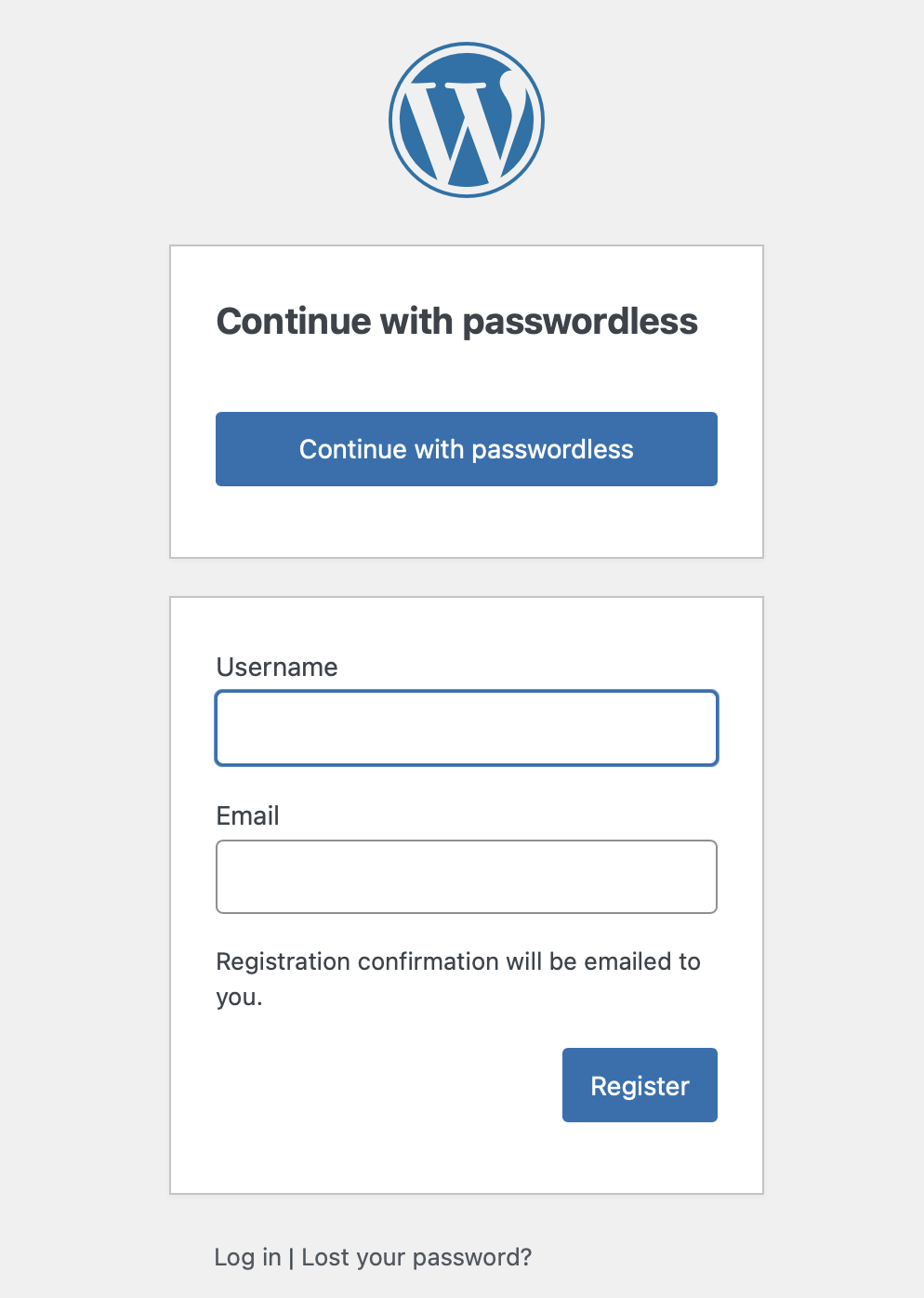
Passwordless registration to your WordPress website. 
Passwordless recovery to your WordPress website. 
Plugin Settings. 
Plugin User.
دامەزراندن
To install the Beyond Identity Passwordless Authentication plugin, follow these steps:
- Upload to the
/wp-content/plugins/directory - Activate the plugin
- Visit Settings > Beyond Identity and configure with the tenant you created on sign up.
Once you have configured your account and activated the plugin you will see passwordless UI added to your site.
پهد
-
How does it work?
-
User identification is based on passkeys, device-stored public-private key pairs. A user may opt into passwordless login by providing an email.
-
Does this plugin require any coding knowledge?
-
No. This is a no-code solution.
-
Will it work with my theme?
-
Yes. Buttons and colors should match you current theme automatically. The plugin has been tested on several themes. If you have any problems with your theme, get in touch with us and we will be happy to help!
-
What is the client’s Redirect URI in the Beyond Identity Console?
-
Your Beyond Identity Application requires a set of allowed redirect URIs for security purposes. In the Beyond Identity application you created for this website, add a redirect URI to the list that follows the format:
https://${your-website-domain.com}/wp-admin/admin-ajax.php?action=openid-connect-authorize -
Where can I learn more about Beyond Identity?
-
Visit the developer documentation.
-
Where can I get help or provide feedback?
-
Feel free to reach out on Slack for any questions or feedback. We’d love to hear from you!
پێداچوونەوەکان

بەشداربووان و گەشەپێدەران
“Beyond Identity Passwordless” نەرمەواڵەیەکی سەرچاوە کراوەیە. ئەم کەسانەی خوارەوە بەشدارییان تێدا کردووە.
بەشداربووان
“Beyond Identity Passwordless” وەربگێڕە بۆ زمانەکەی خۆت.
دەتەوێت بەشداربیت لە گەشەپێدان؟
گەڕان لە کۆدەکەدا بکە، سەیری تەمارگەی (SVN) بکە، یان بەشداربە لە ڕووداوتۆماری گەشەپێدان لە ڕێگەی (RSS).
ڕووداوتۆمارگەریی گۆڕین
Please view CHANGELOG.md