

وەسف
Cart Validation for WooCommerce allows store owners to create advanced conditional cart rules and restrict checkout based on products, categories, user roles, and more.
Easily prevent incompatible purchases, block restricted countries, restrict product combinations, and control checkout behavior using flexible AND/OR rule logic.
Whether you sell regulated products, wholesale items, same-day delivery products, or member-only items — this plugin gives you full control over WooCommerce cart validation.
No coding required.
📒 Why You Need This Plugin
Many WooCommerce stores face issues like:
- Customers mixing incompatible products
- Country-based product restrictions
- Role-based purchasing limitations
- Delivery conflicts (same-day vs standard items)
- Regulatory compliance (alcohol, digital goods, region-specific products)
By default, WooCommerce does not allow advanced conditional checkout restrictions.
Cart Validation for WooCommerce solves this.
📒 Key Features
1. Enable / Disable Cart Validation
Turn cart validation rules on or off anytime with one click.
2. Stop at First Validation Error (Advanced Error Handling)
Choose how validation errors behave:
✔ Show only the first error (clean UX)
✔ Show all matching validation errors at once
This gives store owners better control over customer experience.
3. Default Global Error Message
Set a default validation error message that applies to all rules.
Example: “Your cart contains restricted items. Please review your cart before proceeding.”
You can override this message per rule.
4. Advanced Conditional Rule Builder
Create powerful rules using:
✔ Country-Based Restrictions
Restrict purchases based on shipping country.
Example: “Alcohol cannot be purchased in restricted countries.”
✔ Cart Contains Product
Restrict specific product combinations.
Example: “A printer cannot be purchased with incompatible ink cartridges.”
✔ Cart Contains Category
Prevent mixing products from specific categories.
Example: “Customers cannot mix “Same-Day Delivery” items with regular products.”
✔ User Role-Based Restrictions
Apply rules based on customer roles.
Example: “Only logged-in users can purchase premium products.”
5. AND / OR Conditional Logic
Combine multiple conditions using:
- AND logic (all conditions must match)
- OR logic (any condition can match)
This allows advanced rule combinations like:
— Restrict checkout if cart contains Category = “Alcohol” AND Country = “Germany”
Or
— Restrict checkout if user role = Guest OR Country = Restricted List
5. Schedule Rules with Start & End Dates
Set rule activation dates.
Perfect for:
- Holiday restrictions
- Temporary promotions
- Regulatory changes
- Seasonal product limitations
Example: “Restrict fireworks products outside festival dates.”
🚀 Real World Use Cases
1. Restrict WooCommerce Checkout Based on Product and Shipping Country
Example:
- If cart contains “Alcohol”
- AND shipping country = Restricted Country
- Block checkout
Perfect for compliance-based businesses.
2. Same-Day Delivery Product Isolation
- If cart contains category “Same-Day Delivery”
- Do not allow other categories.
- Error message: Same-Day Delivery items must be purchased separately.
3. Members-Only Products
- If user role = Guest
- AND cart contains Premium Category
- Block checkout
4. Wholesale Protection
- If user role ≠ Wholesaler
- AND cart contains Wholesale Category
- Block checkout
4. Incompatible Product Protection
- If cart contains Product A
- AND Product B
- Show restriction error
Prevents order mistakes and support tickets.
💁 Who Is This Plugin For?
- Alcohol & regulated product sellers
- Wholesale & B2B stores
- Membership stores
- Delivery-based stores
- International WooCommerce stores
- Stores with incompatible product combinations
- Compliance-heavy businesses
☎️ CONTACT US
- Free plugin: Need Technical Help? – Click here
سکرین شۆتەکان
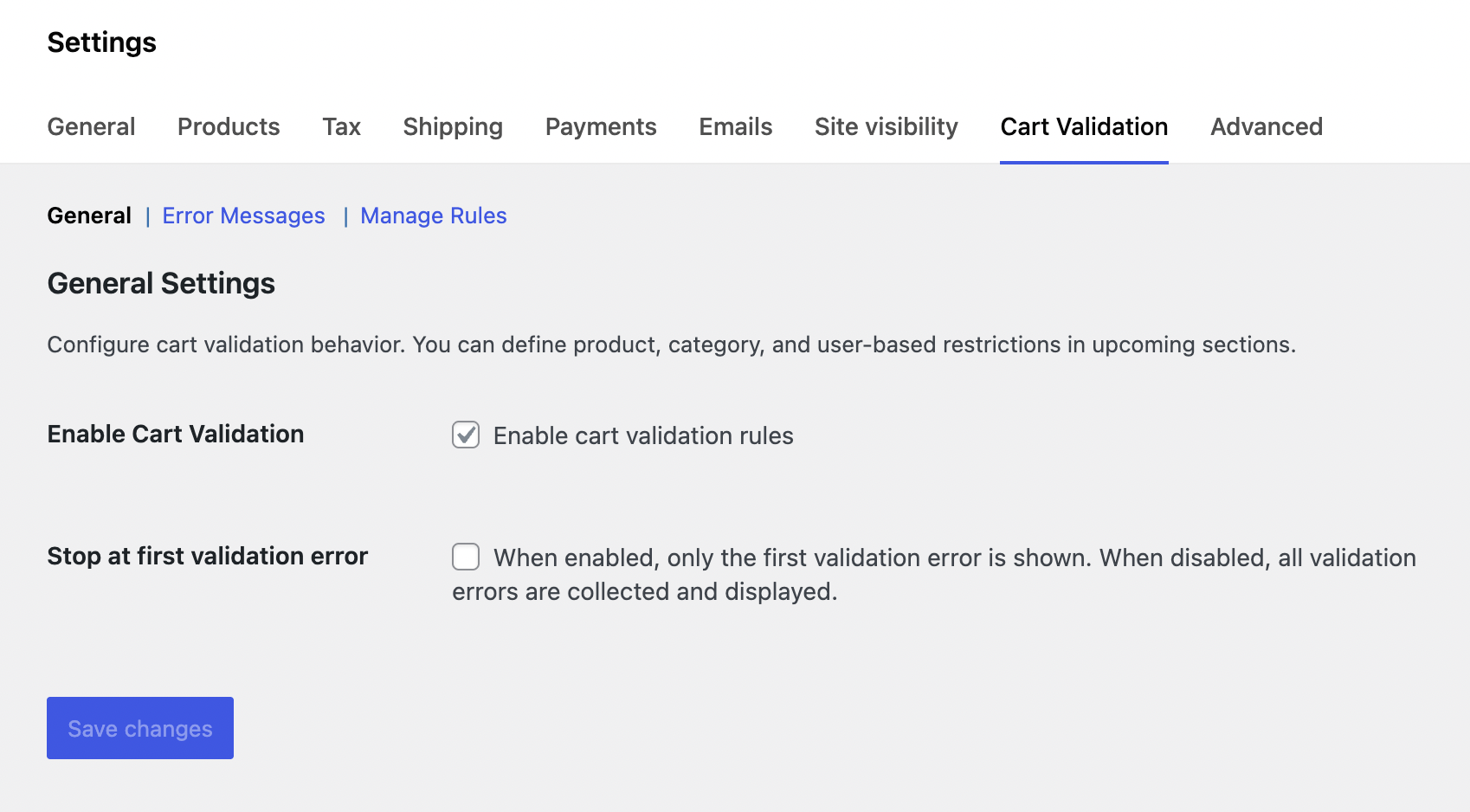
Set the general settings for validation 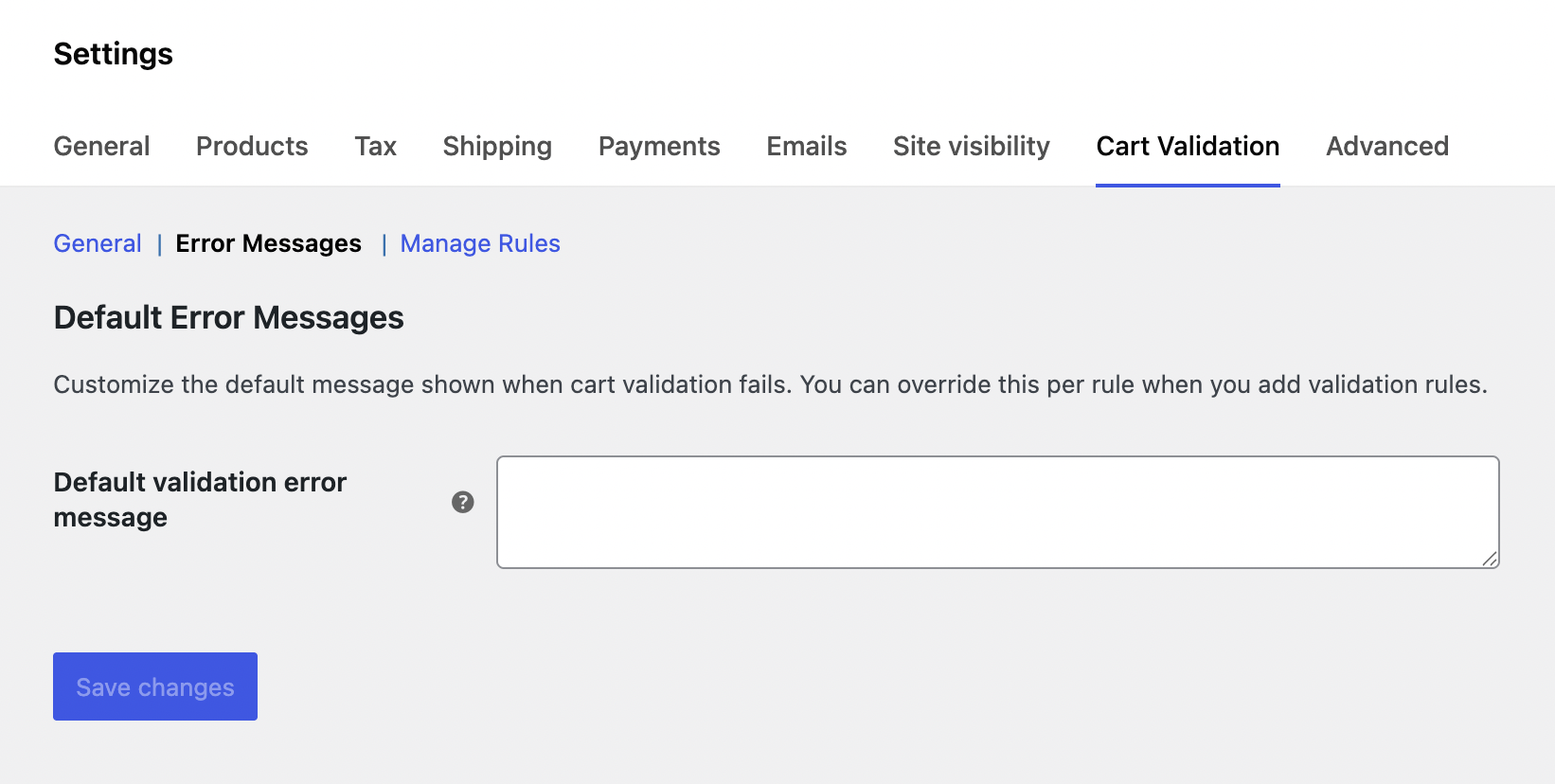
Set the default error message for validation 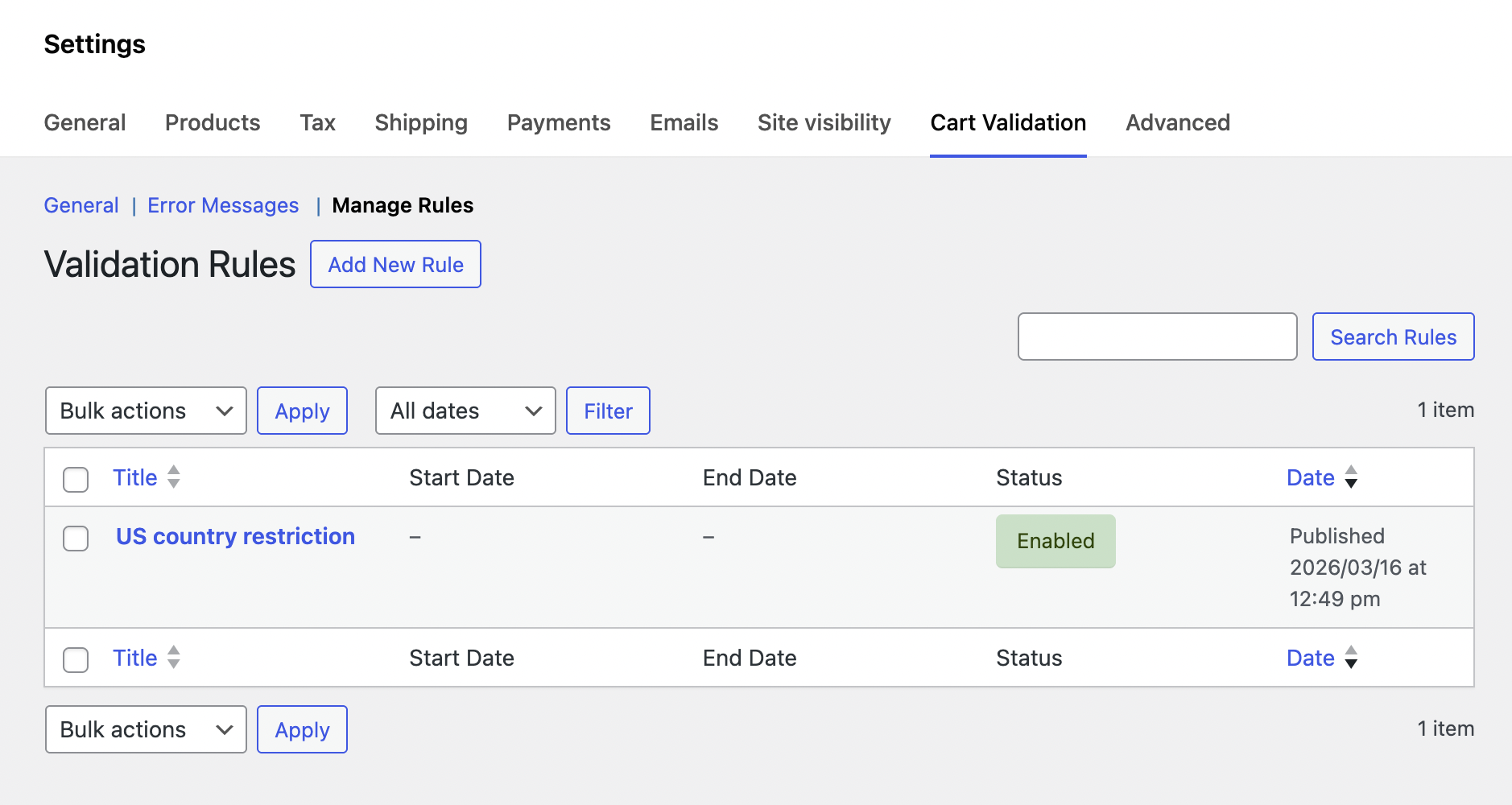
Manage the cart validation rules on listing page 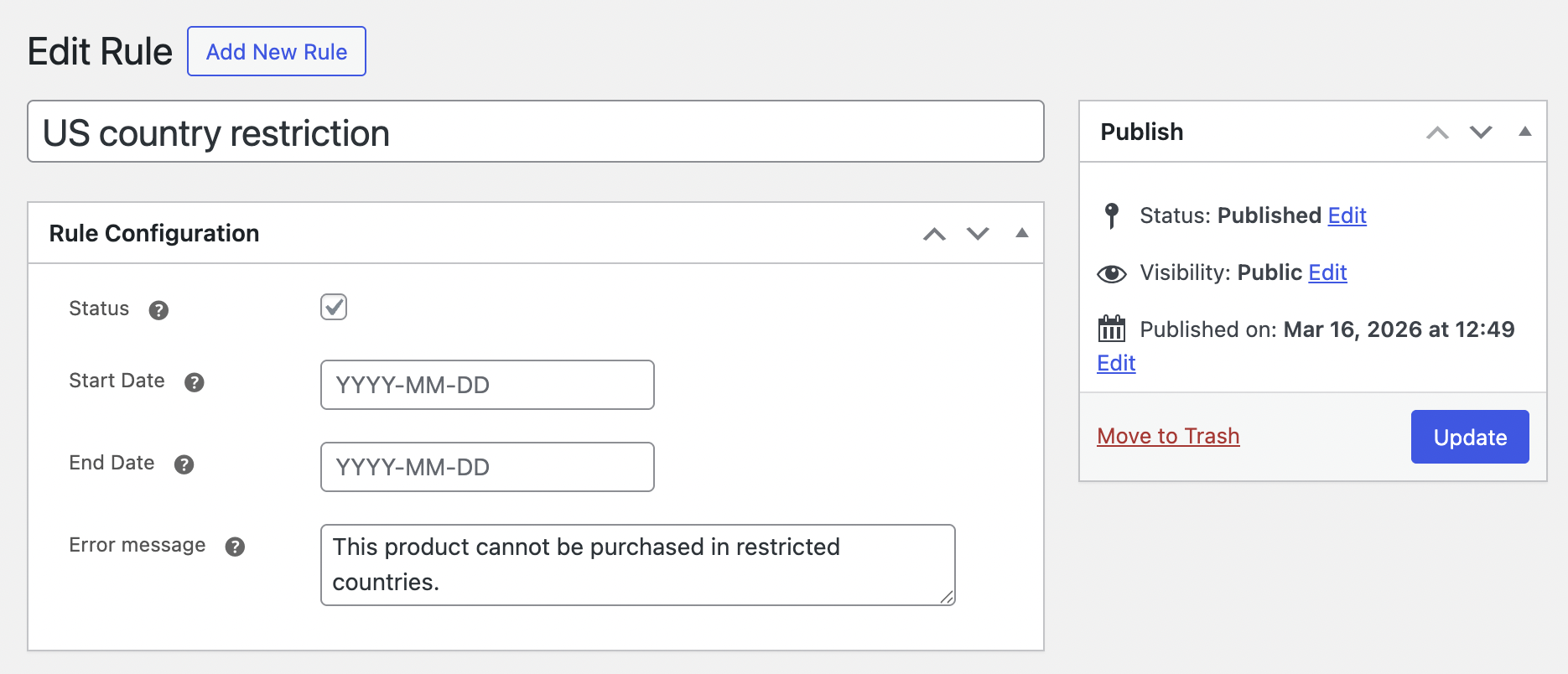
Set the validation rules configuration 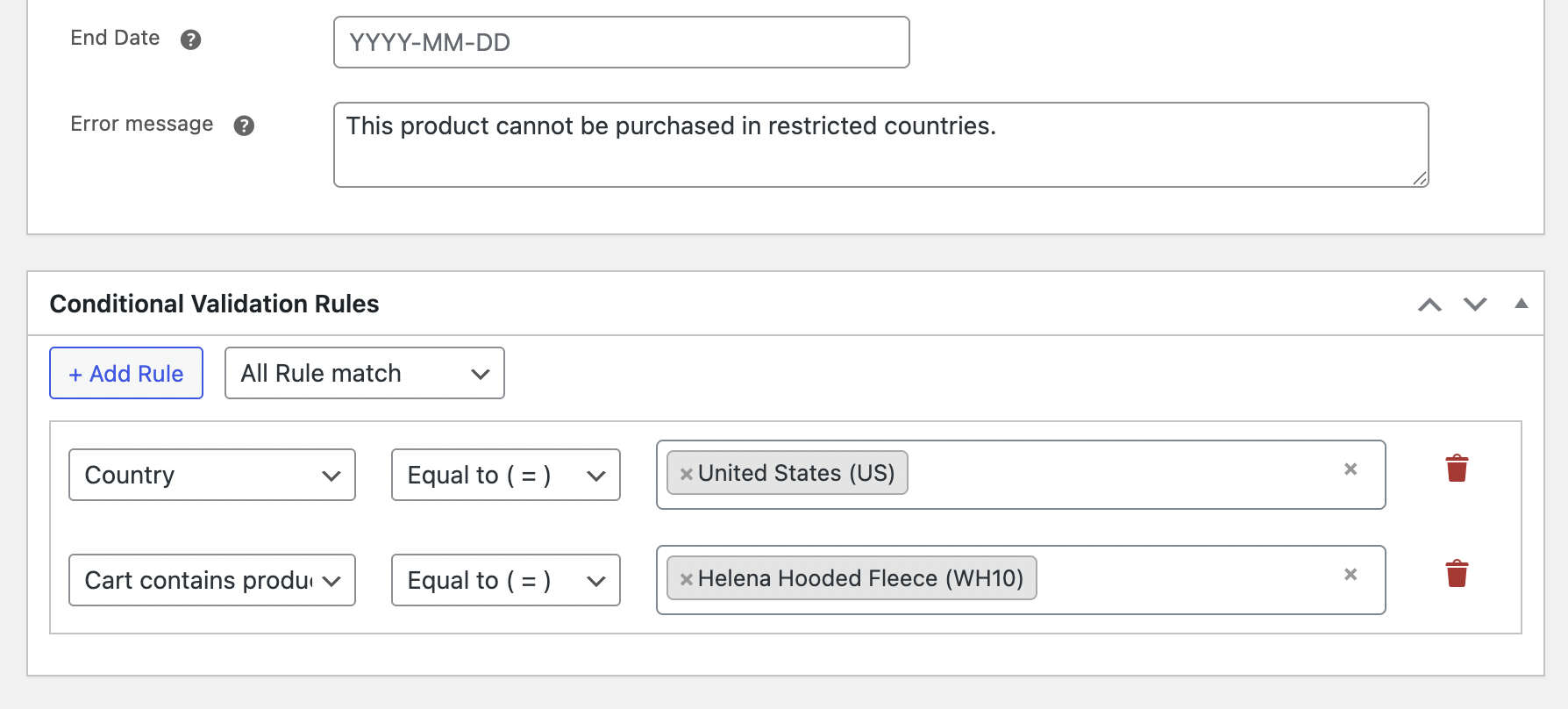
Set conditions for the cart validation 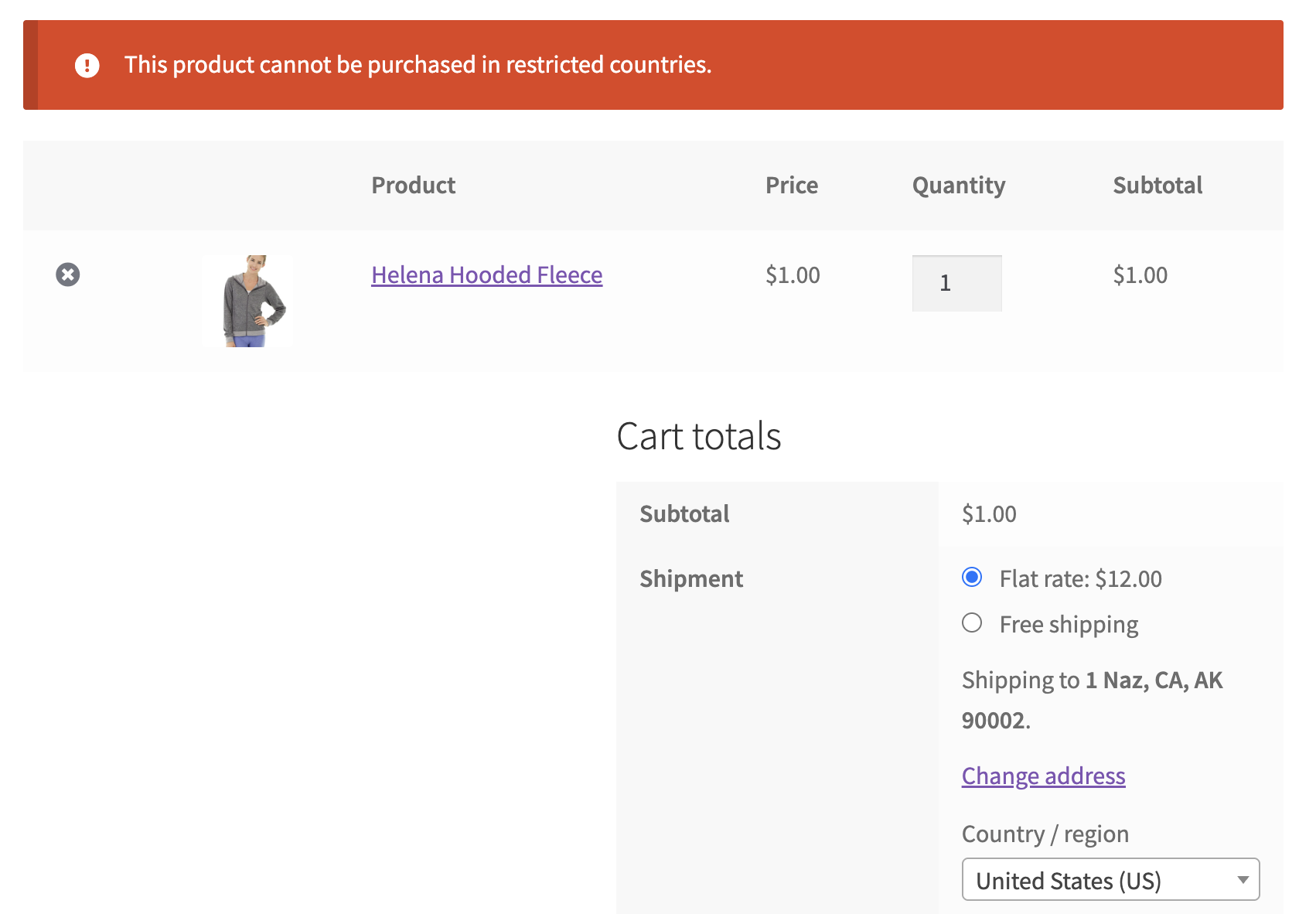
Cart page with the checkout restriction message
دامەزراندن
Minimum Requirements
- WordPress 3.7 or greater
- PHP version 5.3.2 or greater
- MySQL version 5.0 or greater
Automatic installation
Automatic installation is the easiest option as WordPress handles the file transfers itself and you don’t even need to leave your web browser. To do an automatic install of Cart Validation for WooCommerce, log in to your WordPress admin panel, navigate to the Plugins menu and click Add New.
In the search field type “Cart Validation for WooCommerce” and click Search Plugins. Once you have found our plugin you can install it by simply clicking Install Now. After clicking that link you will be asked if you are sure you want to install the plugin. Click yes and WordPress will automatically complete the installation.
Manual installation
The manual installation method involves downloading our plugin and uploading it to your web server via your favorite FTP application.
- Download the plugin file to your computer and unzip it
- Using an FTP program, or your hosting control panel, upload the unzipped plugin folder to your WordPress installation’s wp-content/plugins/ directory.
- Activate the plugin from the Plugins menu within the WordPress admin.
Questions?
If you have any questions please feel free to post them to the support forum.
پهد
-
Does this plugin block checkout?
-
Yes. If cart conditions match a restriction rule, checkout is blocked and an error message is displayed.
-
Can I show multiple validation errors at once?
-
Yes. You can enable or disable “Stop at First Validation Error” from general settings.
-
Can I restrict checkout by country?
-
Yes. You can block purchases based on the customer’s shipping country.
-
Can I restrict product combinations?
-
Yes. You can restrict specific products or categories from being purchased together.
-
Can I schedule cart validation rules?
-
Yes. You can set start and end dates for each rule.
-
Does this work with user roles?
-
Yes. You can restrict checkout based on WooCommerce user roles.
-
Does this require coding knowledge?
-
No. Everything works through an easy rule builder interface.
پێداچوونەوەکان

بەشداربووان و گەشەپێدەران
“Cart Validation for WooCommerce” نەرمەواڵەیەکی سەرچاوە کراوەیە. ئەم کەسانەی خوارەوە بەشدارییان تێدا کردووە.
بەشداربووان
“Cart Validation for WooCommerce” وەربگێڕە بۆ زمانەکەی خۆت.
دەتەوێت بەشداربیت لە گەشەپێدان؟
گەڕان لە کۆدەکەدا بکە، سەیری تەمارگەی (SVN) بکە، یان بەشداربە لە ڕووداوتۆماری گەشەپێدان لە ڕێگەی (RSS).
ڕووداوتۆمارگەریی گۆڕین
1.0.0
- Initial release