

وەسف
This plugin provides the following features :
- A [fullcalendar] shortcode with custom parameters to be inserted in your pages/posts
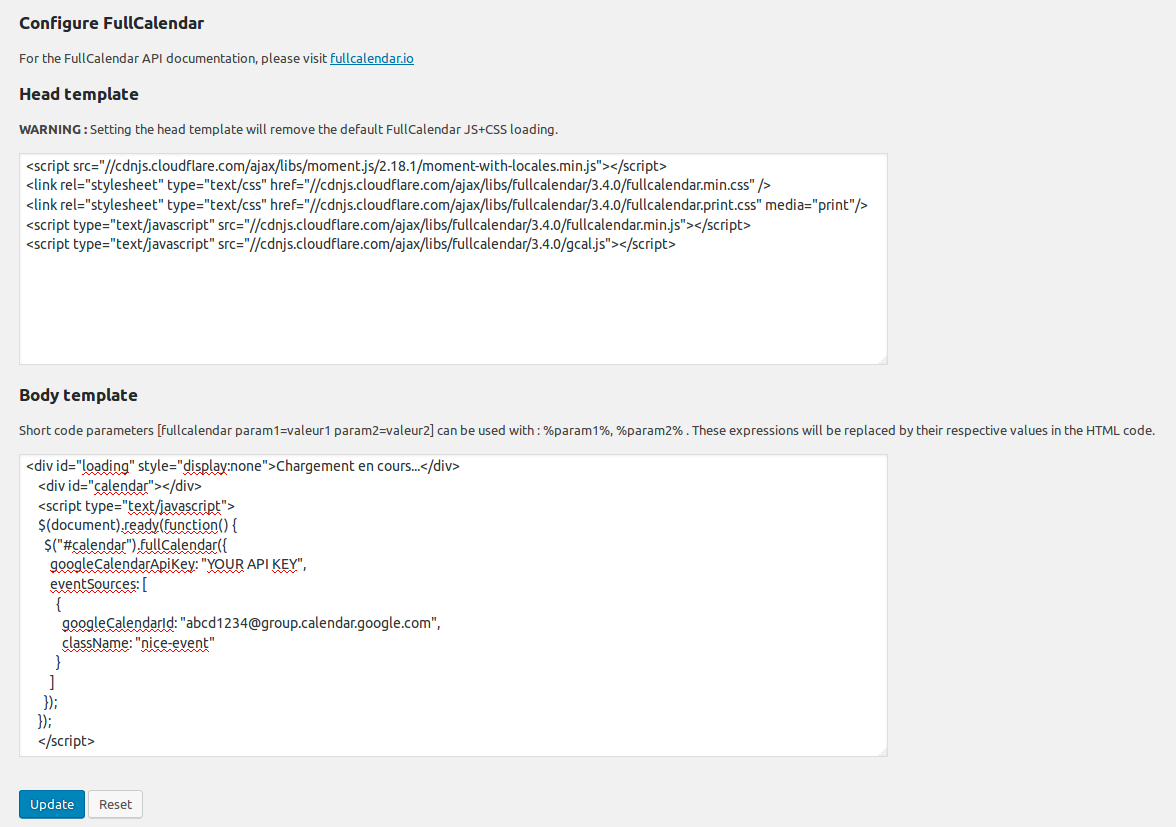
- An admin page where you can define a custom HEAD and BODY template for the [fullcalendar] shortcode
- By default FullCalendar 3.4.0 JS+CSS is loaded locally, your can change the version and/or load from cdnjs by setting the HEAD template (WARNING : Setting the HEAD template will remove the default FullCalendar JS+CSS loading)
- A default BODY template to display a Google Calendar (just fill in your API KEY and your Google Calendar ID)
سکرین شۆتەکان

![The calendar is displayed in your page when you insert the [fullcalendar] shortcode. Here is a sample with multiple calendars and a few CSS.](https://ps.w.org/fullcalendar/assets/screenshot-3.png?rev=1705824)

دامەزراندن
- Download plugin Full Calendar into /wp-content/plugins/.
- Activate plugin.
- Visit Google Calendar and create your calendar.
- Configure FullCalendar in the WordPress Setup menu.
- Insert the [fullcalendar] shortcode in your pages/posts.
پێداچوونەوەکان
هیچ پێداچوونەوەیەک نەنووسراوە بۆ ئەم پێوەکراوە.
بەشداربووان و گەشەپێدەران
“FullCalendar” نەرمەواڵەیەکی سەرچاوە کراوەیە. ئەم کەسانەی خوارەوە بەشدارییان تێدا کردووە.
بەشداربووان
“FullCalendar” وەربگێڕە بۆ زمانەکەی خۆت.
دەتەوێت بەشداربیت لە گەشەپێدان؟
گەڕان لە کۆدەکەدا بکە، سەیری تەمارگەی (SVN) بکە، یان بەشداربە لە ڕووداوتۆماری گەشەپێدان لە ڕێگەی (RSS).
ڕووداوتۆمارگەریی گۆڕین
1.0
- First version.
2.2.2
- Updated to fullcalendar 2.2.2
3.4.0
- Updated to fullcalendar 3.4.0.