
وەسف
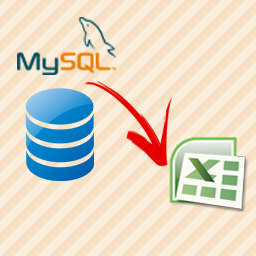
This plugin provide you the functionality to export MySql database table to excel file. The plugin is very easy to use. It also allow you to show all database table’s value with “export to excel” option in admin panel.
We are currently working on a new functionality which will provide you the functionality to export database table with selected field name.
Plugin Functionalities:
- Easy to see all database table in Admin Panel
- Export any table to Excel file
- We are adding additional functionality to this plugin soon…
سکرین شۆتەکان


دامەزراندن
Please follow there easy steps to install the plugin –
- Upload “DatabaseToExcel.zip” to the “/wp-content/plugins/” directory and extract it.
- Activate the plugin through the “Plugins” menu in WordPress.
- Now, you will see a menu “Database to Excel” in admin panel, click on it.
- Here is the all functionalities of the plugin, Enjoy…
پهد
- Does this plugin create any table in database?
-
No, this plugin does not create any table in your database.
- Can I uninstall this plugin anytime?
-
Yes! you can uninstall it anytime, simply goto plugin section of your admin panel and delete the plugin named “Database to Excel”.
پێداچوونەوەکان


بەشداربووان و گەشەپێدەران
“Database to Excel” نەرمەواڵەیەکی سەرچاوە کراوەیە. ئەم کەسانەی خوارەوە بەشدارییان تێدا کردووە.
بەشداربووان
“Database to Excel” وەربگێڕە بۆ زمانەکەی خۆت.
دەتەوێت بەشداربیت لە گەشەپێدان؟
گەڕان لە کۆدەکەدا بکە، سەیری تەمارگەی (SVN) بکە، یان بەشداربە لە ڕووداوتۆماری گەشەپێدان لە ڕێگەی (RSS).
ڕووداوتۆمارگەریی گۆڕین
1.0
- Initial release.