

وەسف
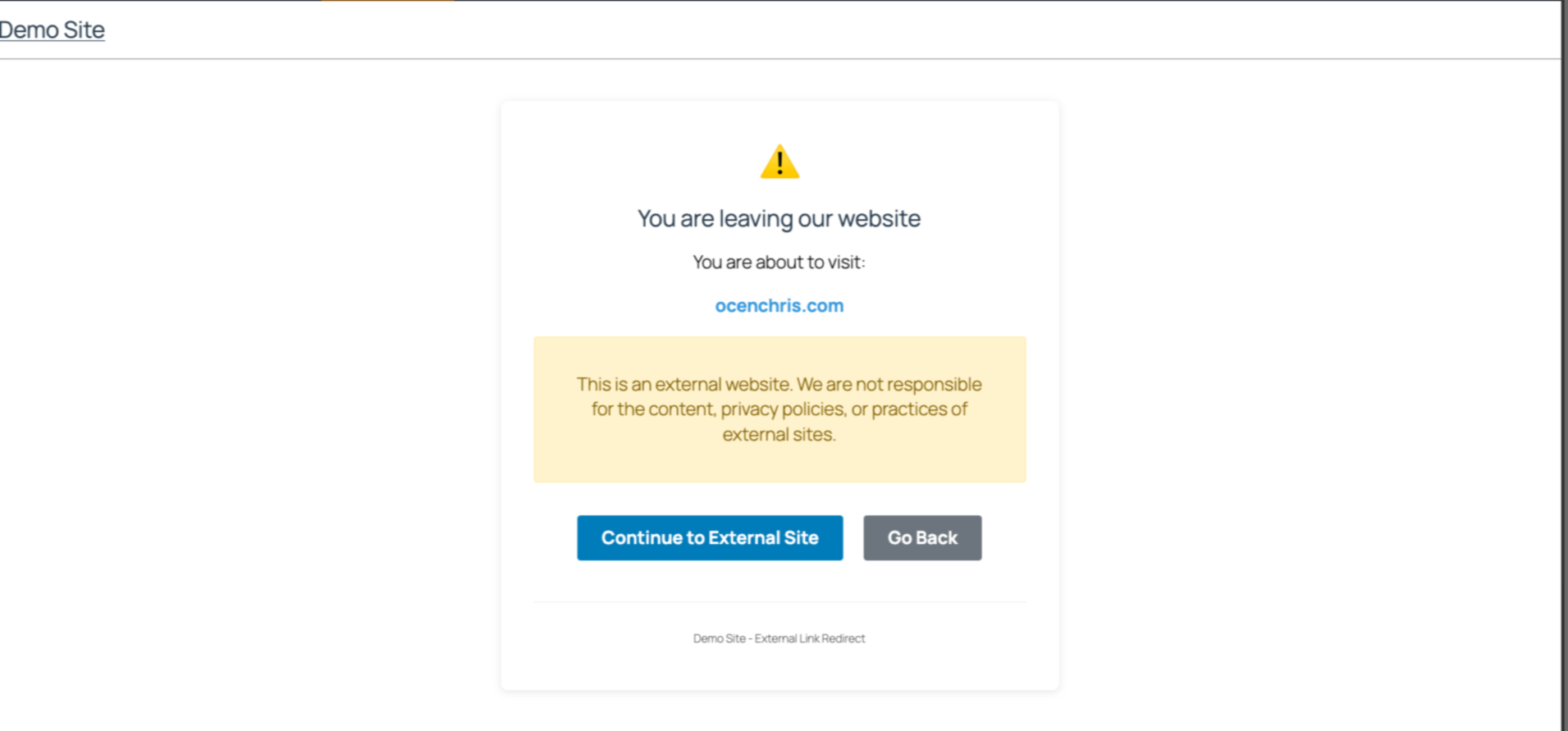
Easily manage links to external websites. This lightweight plugin create an intent page that notifies users when they try to visit a link to an external website. With a user-friendly interface, it is perfect for blogs, news sites etc that often reference other sources. Simple to set up and fully responsive, visitors have a choice to continue to the next page or stay on the same website.
Github Repo
[https://github.com/chrisjrocen/exit-links-manager]
سکرین شۆتەکان
دامەزراندن
- Upload the plugin files to the
/wp-content/plugins/exit-links-managerdirectory, or install the plugin through the WordPress plugins screen directly. - Activate the plugin through the ‘Plugins’ screen in WordPress
- Done. Now all external links redirect to a page slug, ‘leaving’.
پهد
-
How do I enable Exit Links Manager?
-
The functionality is enabled as soon as you activate the plugin.
پێداچوونەوەکان
هیچ پێداچوونەوەیەک نەنووسراوە بۆ ئەم پێوەکراوە.
بەشداربووان و گەشەپێدەران
“Exit Links Manager” نەرمەواڵەیەکی سەرچاوە کراوەیە. ئەم کەسانەی خوارەوە بەشدارییان تێدا کردووە.
بەشداربووان
“Exit Links Manager” وەربگێڕە بۆ زمانەکەی خۆت.
دەتەوێت بەشداربیت لە گەشەپێدان؟
گەڕان لە کۆدەکەدا بکە، سەیری تەمارگەی (SVN) بکە، یان بەشداربە لە ڕووداوتۆماری گەشەپێدان لە ڕێگەی (RSS).
ڕووداوتۆمارگەریی گۆڕین
1.0.0: Initial release