

وەسف
Personnal Statistics for Authors is the plugin required for every blog. It uses the Facebook, Twitter and Google Analytics API to get the data of your posts (shares, tweets, keywords used to find it, visits from smartphones, bounce rate…). You don’t need to switch between your Analytics dashboard and everything else : PSfA is here to do that job for you.
سکرین شۆتەکان
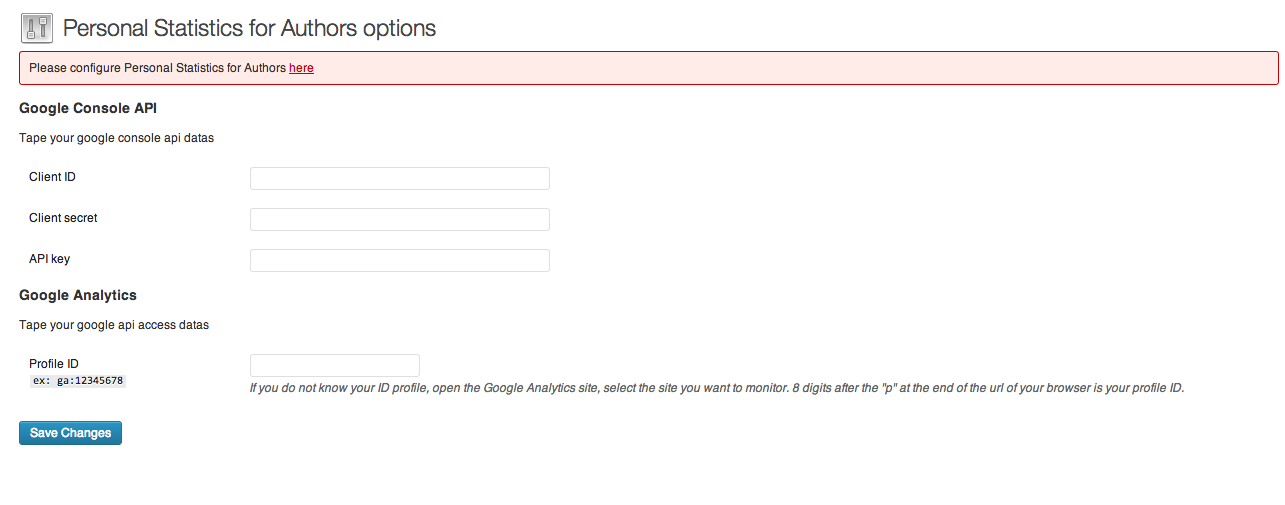
Plugin settings page 
Dashboard widget 
General statistics for all posts 
Detailed statistics for one single post
دامەزراندن
- Upload ‘personnal-statistics-for-authors’ to the ‘/wp-content/plugins/’ directory
- Activate the plugin through the ‘Plugins’ menu in WordPress
- Go to ‘Personnal Statistics for Authors’ under the ‘Settings’ tab and configure the plugin
پێداچوونەوەکان
هیچ پێداچوونەوەیەک نەنووسراوە بۆ ئەم پێوەکراوە.
بەشداربووان و گەشەپێدەران
“Personal Statistics for Authors” نەرمەواڵەیەکی سەرچاوە کراوەیە. ئەم کەسانەی خوارەوە بەشدارییان تێدا کردووە.
بەشداربووان
“Personal Statistics for Authors” وەربگێڕە بۆ زمانەکەی خۆت.
دەتەوێت بەشداربیت لە گەشەپێدان؟
گەڕان لە کۆدەکەدا بکە، سەیری تەمارگەی (SVN) بکە، یان بەشداربە لە ڕووداوتۆماری گەشەپێدان لە ڕێگەی (RSS).
ڕووداوتۆمارگەریی گۆڕین
1.0.1
- Fixes bugs when adding and removing posts and display latest update date for a post