
وەسف
Losing money on fake COD or high-risk WooCommerce orders?
Approve Orders for WooCommerce gives you full control over which orders get processed — before they impact your business. Instead of blindly accepting every order, you can implement a professional order approval workflow to review, approve, or reject orders based on your specific business rules.
Perfect for WooCOmmerce stores requiring order approval
✔ COD-heavy stores (India, SEA, etc.)
✔ High-value product stores (electronics, jewelry, custom orders)
✔ Wholesale & B2B stores requiring manual order approval
✔ Stores fighting spam or test orders
🚫 Stop fake orders with order verification
💰 Prevent revenue loss via strict order approval
⚙️ Complete control over order processing
💰 Reduce losses from COD fraud
📦 Add a professional order approval workflow to WooCommerce
🔑 Key Features (Free)
✔ Comprehensive Order Approval Workflow before processing
✔ Professional Order Approval Management from WooCommerce admin
✔ Custom order statuses: Awaiting Approval, Approved, Rejected
✔ Admin notifications for orders requiring approval
✔ Customer notifications for order approval updates
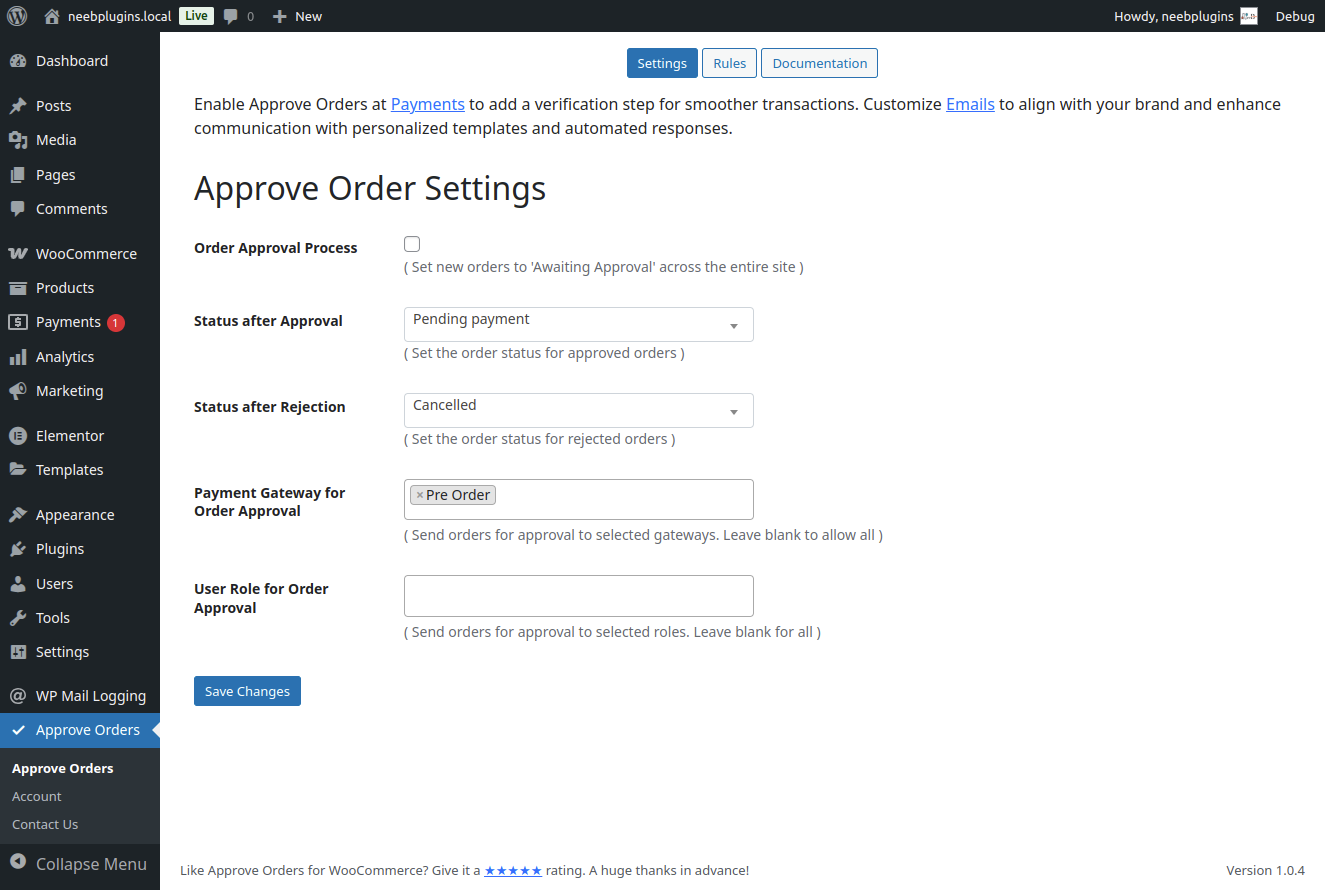
✔ Dedicated Approve / Reject buttons inside the order page
✔ Custom order status after successful approval
✔ Custom order status after order rejection
✔ Add internal order notes for approval tracking
✔ Filter and search orders by approval status
✔ Payment capture only after order approval
✔ Enable order approval for selected payment methods (e.g. COD)
🚀 Upgrade to Pro
Manually reviewing every order costs time and can lead to missed risky orders.
Upgrade to automate your order approval decisions, reduce manual work, and prevent losses.
👉 Go PRO
🔥 PRO Features
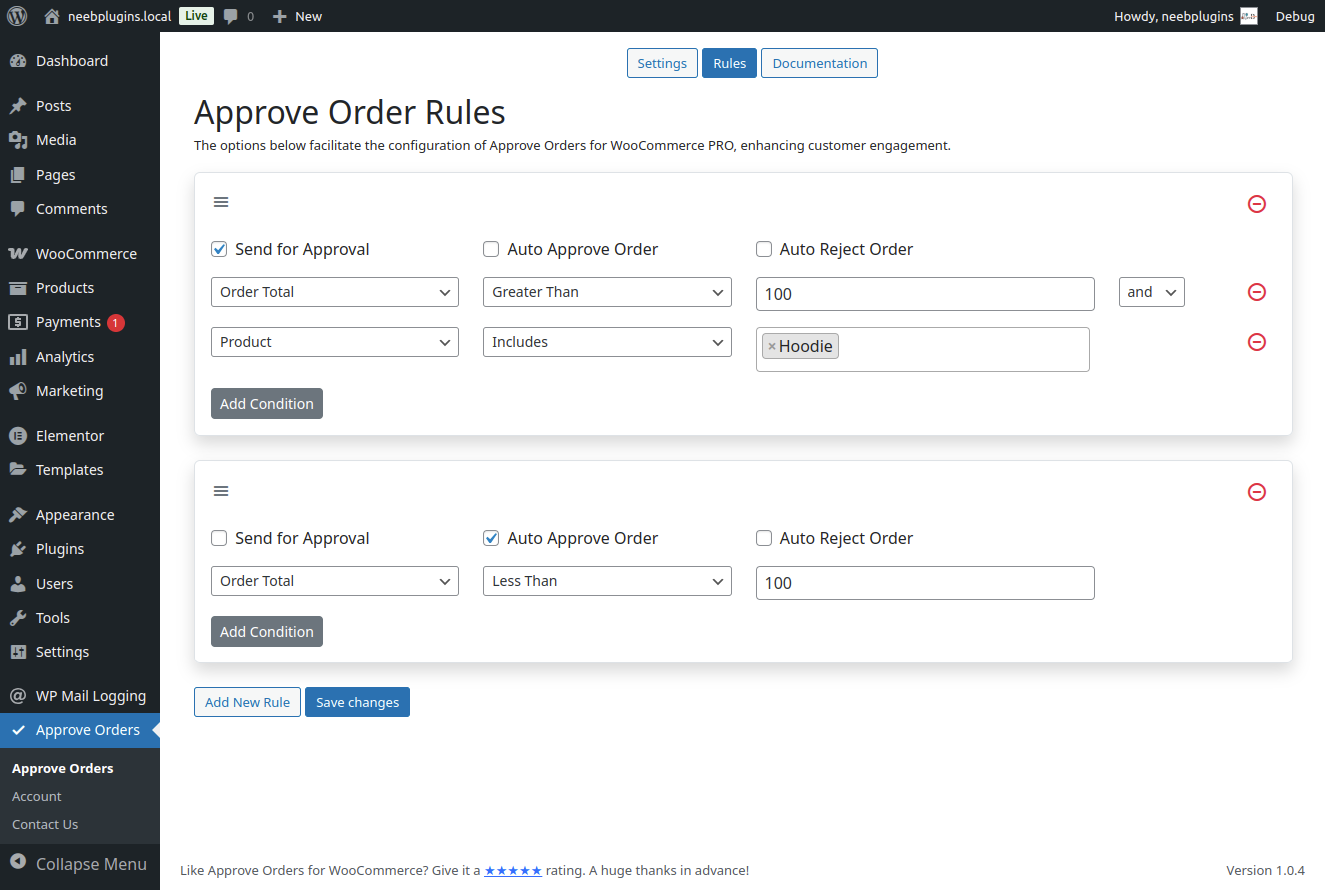
⚙️ Rule-Based Order Approval Automation (Core Feature)
Automatically approve, hold, or reject orders using flexible order approval conditions:
- Order value (high-ticket orders)
- Payment method (COD, prepaid, etc.)
- Customer type (guest vs registered)
- Products or categories
Stop reviewing every order manually — let your order approval rules handle the decisions.
⚡ Bulk Order Approval Actions
Approve or reject multiple orders at once and save hours of manual work.
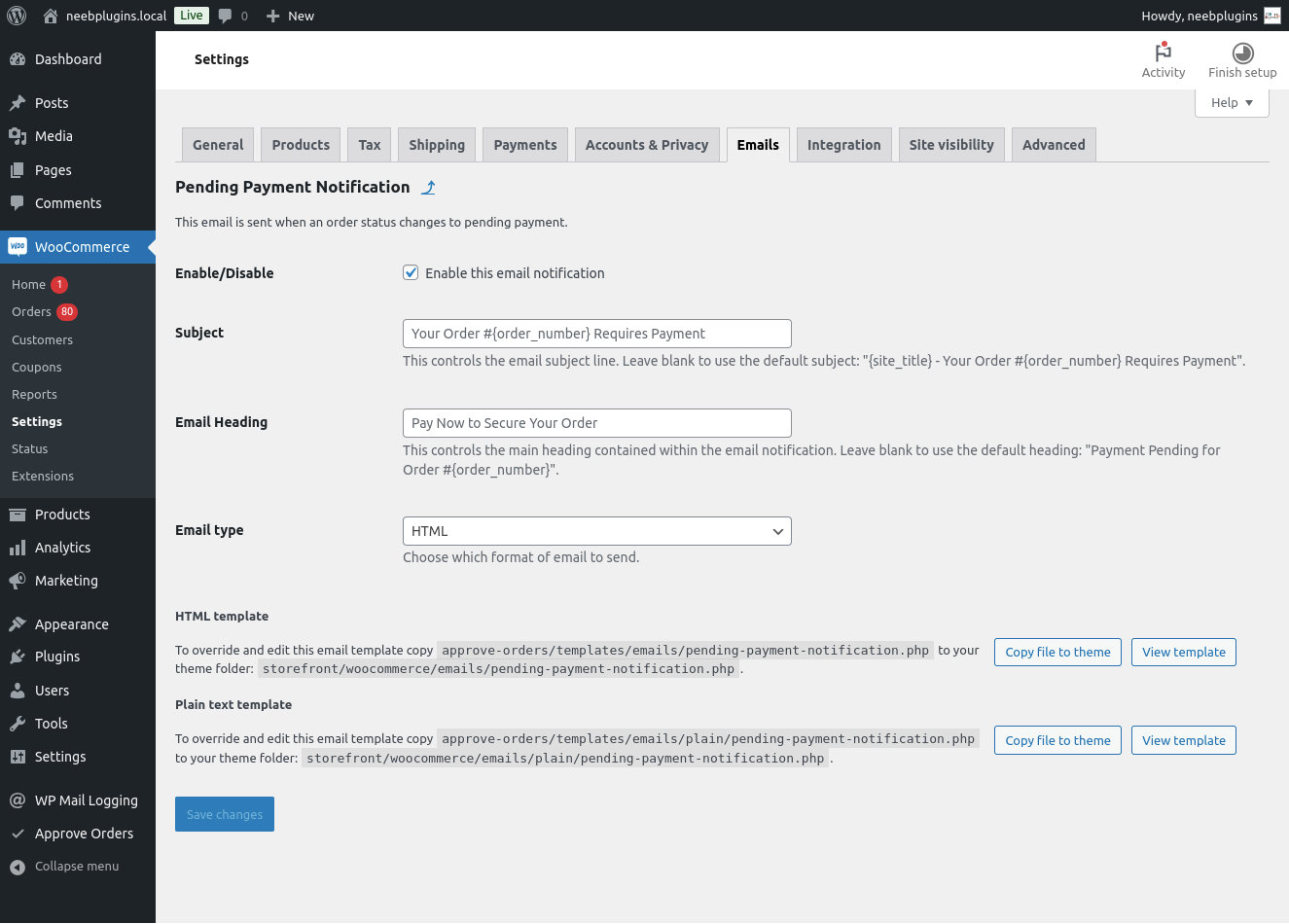
📧 Custom Approval Email Templates
Customize your order approval and rejection emails to match your brand.
🔐 Role-Based Order Approval Workflows
Create different order approval processes for different user roles.
💳 Advanced Payment Gateway Control
Gain deeper control over when and how payments are processed during approval.
👥 Approval Tracking
Track exactly who approved or rejected each order for better accountability.
📤 Export Users
Export user data for reporting and approval workflows.
🌍 Multisite Support
Use your order approval system across WordPress multisite networks.
🌐 Multi-Language Support
Compatible with multilingual stores.
🎯 Priority Support
Get faster responses and dedicated assistance.
💡 Why Use an Order Approval System?
Without a proper order verification and approval process, stores often face:
- Fake COD orders
- Wasted shipping costs
- Revenue loss
- Operational inefficiencies
This plugin helps you:
✔ Review orders before fulfillment
✔ Prevent fake or suspicious orders through order approval
✔ Control high-value transactions
✔ Add a structured order approval workflow to your store
🔥 Real Use Cases
- Prevent fake COD orders via order approval
- Approve orders before processing in WooCommerce
- Add a manual order verification workflow
- Control high-ticket orders
- B2B order approval system
سکرین شۆتەکان

دامەزراندن
- Install the plugin via the WordPress plugin repository or by uploading the plugin files to your server.
- Activate the plugin through the ‘Plugins’ menu in WordPress.
- Configure the settings under Admin Dashboard > Approve Orders.
- Customize your order statuses and notifications as needed.
- Start managing and approving your orders from the WooCommerce Orders page.
Support
For support, please visit Support Desk or use the support forums on WordPress.org.
پهد
-
Does this plugin work with all payment gateways?
-
Yes, the basic version ensures payment is only captured after an order is approved. The premium version offers more advanced integration options.
-
Does this plugin stop orders automatically?
-
By default, it allows manual approval. Automation features are available in Pro.
-
Can I customize the approval email notifications?
-
Yes, in the paid version, you can customize email templates for admin and customer notifications.
-
Can I automate the order approval process?
-
Conditional order approval rules are available in the Pro version.
-
Does this plugin support bulk order approval?
-
Yes, bulk actions are available in the paid version, allowing you to approve or reject multiple orders at once.
پێداچوونەوەکان

بەشداربووان و گەشەپێدەران
“Order Approval – Approve Orders for WooCommerce” نەرمەواڵەیەکی سەرچاوە کراوەیە. ئەم کەسانەی خوارەوە بەشدارییان تێدا کردووە.
بەشداربووان

“Order Approval – Approve Orders for WooCommerce” وەربگێڕە بۆ زمانەکەی خۆت.
دەتەوێت بەشداربیت لە گەشەپێدان؟
گەڕان لە کۆدەکەدا بکە، سەیری تەمارگەی (SVN) بکە، یان بەشداربە لە ڕووداوتۆماری گەشەپێدان لە ڕێگەی (RSS).
ڕووداوتۆمارگەریی گۆڕین
1.0.8
- SDK Update
- ADMIN UI Update
1.0.7
- Export user data
1.0.6
- Fix REST Api
1.0.5
- Bug fixes & Updates
1.0.4
- Bug fixes & Updates
1.0.3
- Bug fixes & Updates
1.0.2
- SDK Update
1.0.1
- Fix payment gateway visibility
- Code Optimization
1.0.0
- Initial release