
وەسف
This plugin displays a map on your website and allows your visitors to find their way to your location.
Languages available: english, deutsch(german), espanol(spanish)
سکرین شۆتەکان
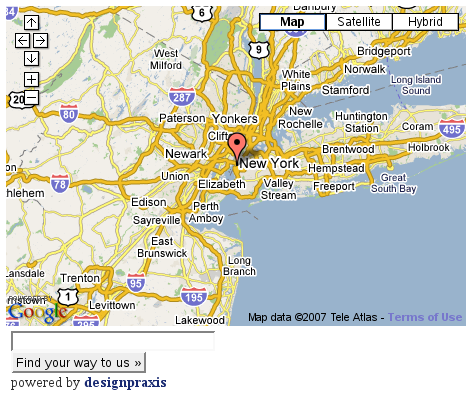
Just enter where your journey starts…
دامەزراندن
- As always: download, unzip and upload to your WordPress plugins directory
- Get Your Google API Key
- activate the plugin within you WordPress Administration Backend
- go to Options > Findus and enter API Key and location
- Make use of [findusmap] throughout your posts and pages
پهد
- Can I have custom maps from post to post?
-
Of course, check out the AdvancedMode of the Find Us Options in your WordPress admin backend.
- I get an error about file_get_contents(), what to do?
-
The error
Warning: file_get_contents() [function.file-get-contents]: URL file-access is disabled in the server configuration
appears on hosts that do not allow file-access. This error was fixed by using snoopy.
Download the newest version!
پێداچوونەوەکان
هیچ پێداچوونەوەیەک نەنووسراوە بۆ ئەم پێوەکراوە.
بەشداربووان و گەشەپێدەران
“Find Us” نەرمەواڵەیەکی سەرچاوە کراوەیە. ئەم کەسانەی خوارەوە بەشدارییان تێدا کردووە.
بەشداربووان
“Find Us” وەربگێڕە بۆ زمانەکەی خۆت.
دەتەوێت بەشداربیت لە گەشەپێدان؟
گەڕان لە کۆدەکەدا بکە، سەیری تەمارگەی (SVN) بکە، یان بەشداربە لە ڕووداوتۆماری گەشەپێدان لە ڕێگەی (RSS).