
وەسف
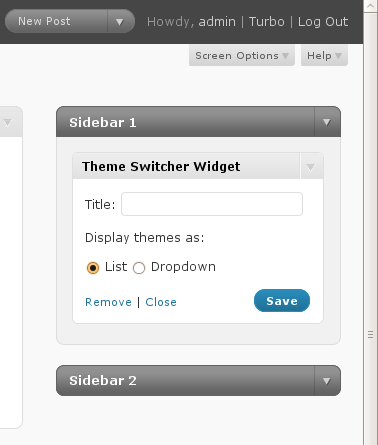
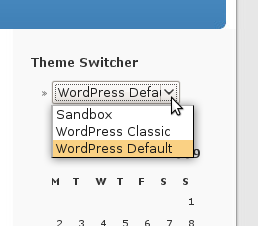
Allow users to switch which theme they use on your WordPress, WordPress MU, or BuddyPress site. Includes a widget for easily putting the theme-switcher as a list or dropdown in your sidebar.
سکرین شۆتەکان
دامەزراندن
- Download and extract the
theme-switcherplugin file. - Upload the
theme-switcherdirectory to the/wp-content/plugins/directory. - Activate the plugin under the ‘Plugins’ menu in the WordPress admin.
- Add the “Theme Switcher” widget to one of your widgetized sidebars, or call
wp_theme_switcher()directly.
پهد
- How do I print the Theme Switcher markup without using widgets?
-
You can call
wp_theme_switcher()directly. Callingwp_theme_switcher()alone (no arguments) will print a list of themes; callingwp_theme_switcher('dropdown')will print a dropdown of themes.
پێداچوونەوەکان
هیچ پێداچوونەوەیەک نەنووسراوە بۆ ئەم پێوەکراوە.
بەشداربووان و گەشەپێدەران
“Theme Switcher” نەرمەواڵەیەکی سەرچاوە کراوەیە. ئەم کەسانەی خوارەوە بەشدارییان تێدا کردووە.
بەشداربووان

“Theme Switcher” وەربگێڕە بۆ زمانەکەی خۆت.
دەتەوێت بەشداربیت لە گەشەپێدان؟
گەڕان لە کۆدەکەدا بکە، سەیری تەمارگەی (SVN) بکە، یان بەشداربە لە ڕووداوتۆماری گەشەپێدان لە ڕێگەی (RSS).